
AI & Multiplayer Aircraft Carrier - HMS Ark Royal R09
After many years of development trials and tribulations, we are very pleased to announce the release of the Multiplayer (and AI) HMS Ark Royal (R09)
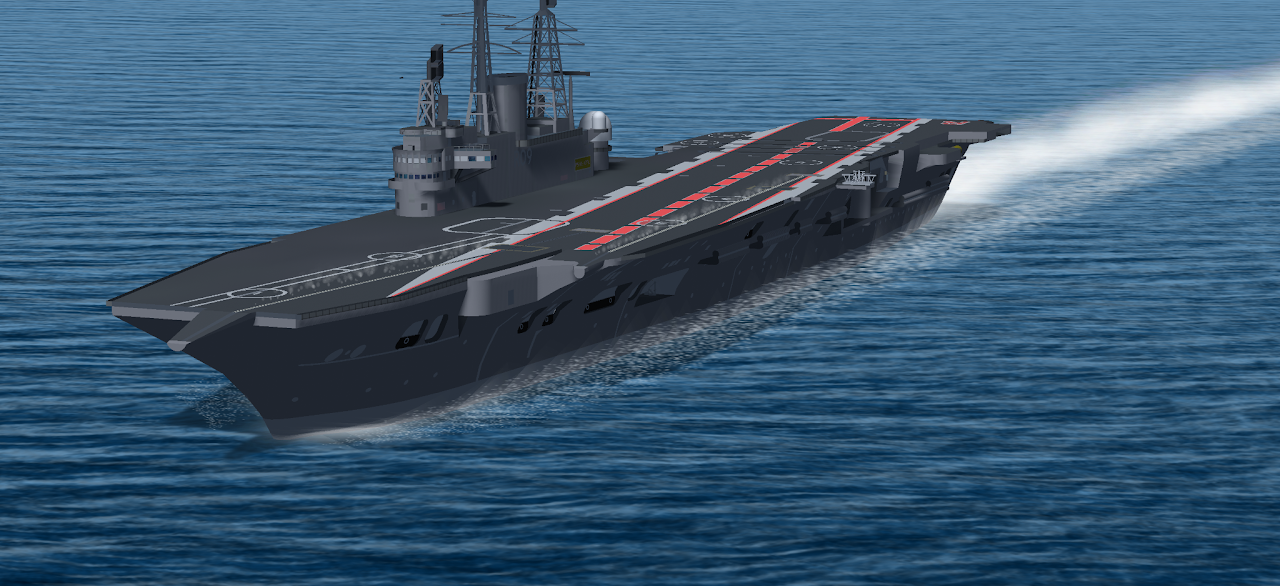
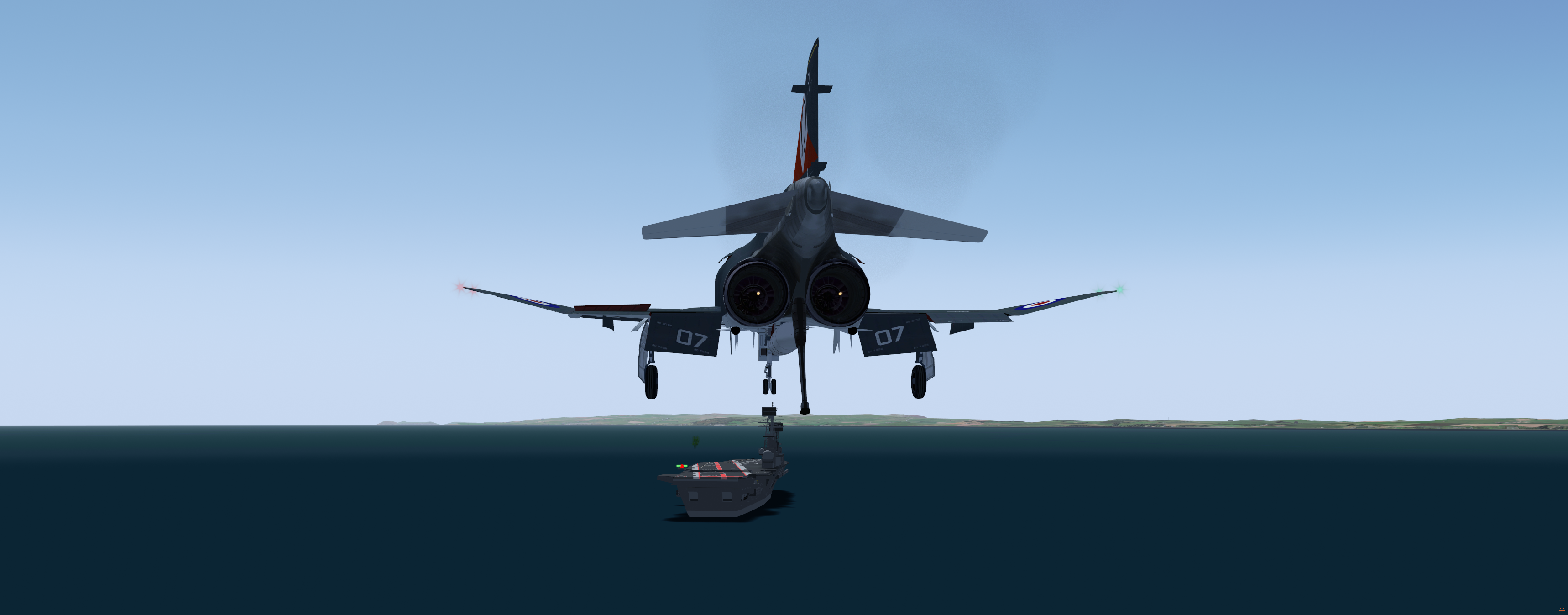
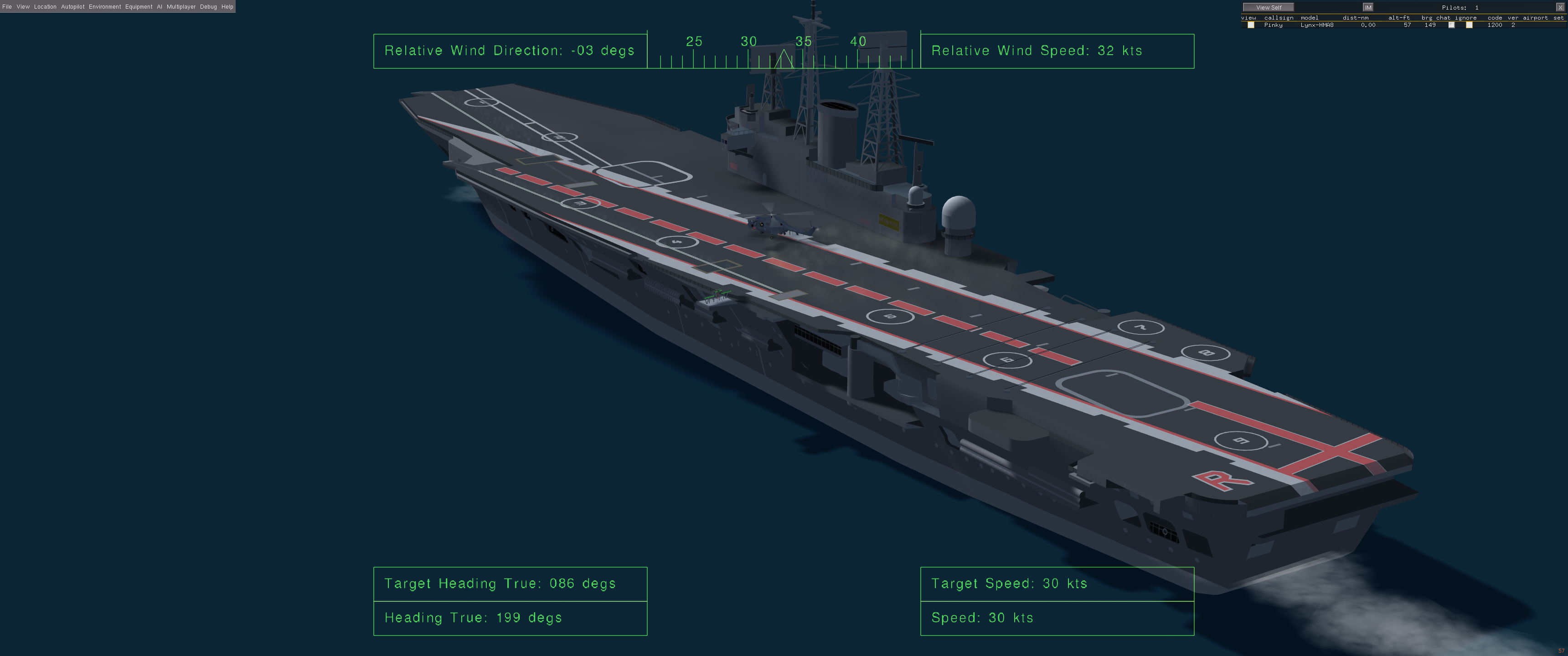
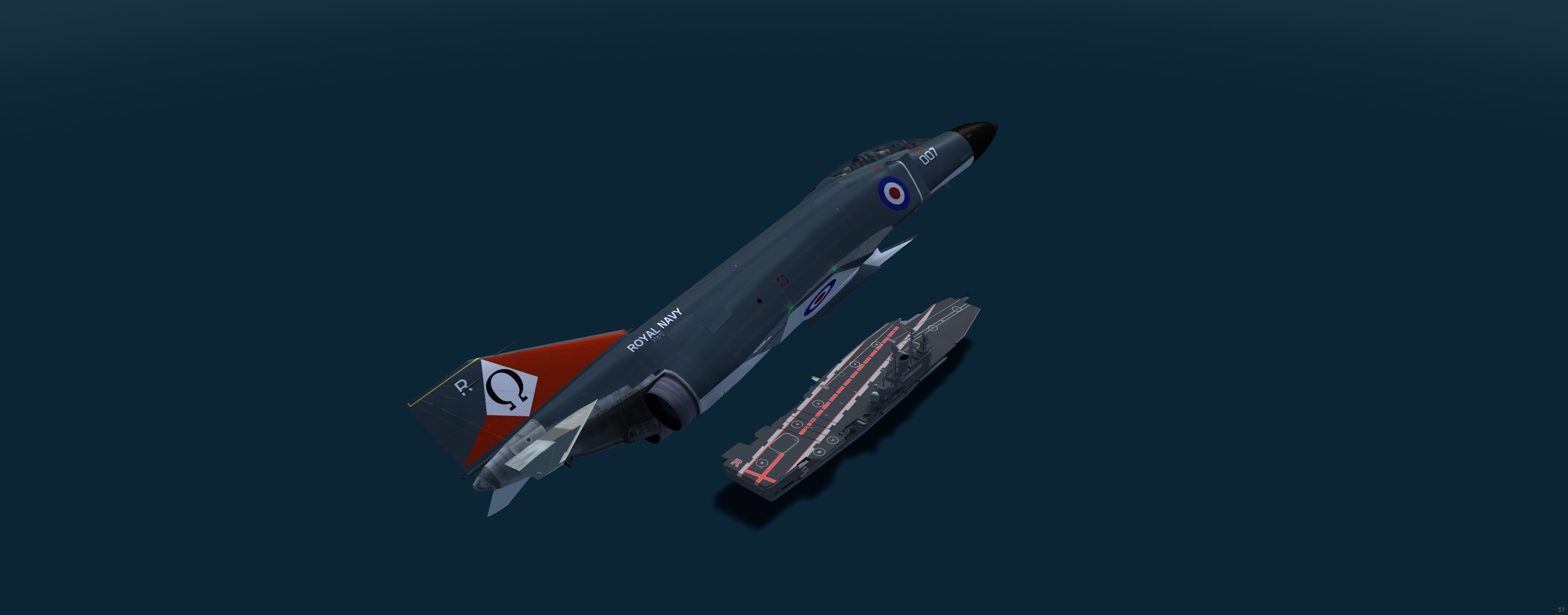
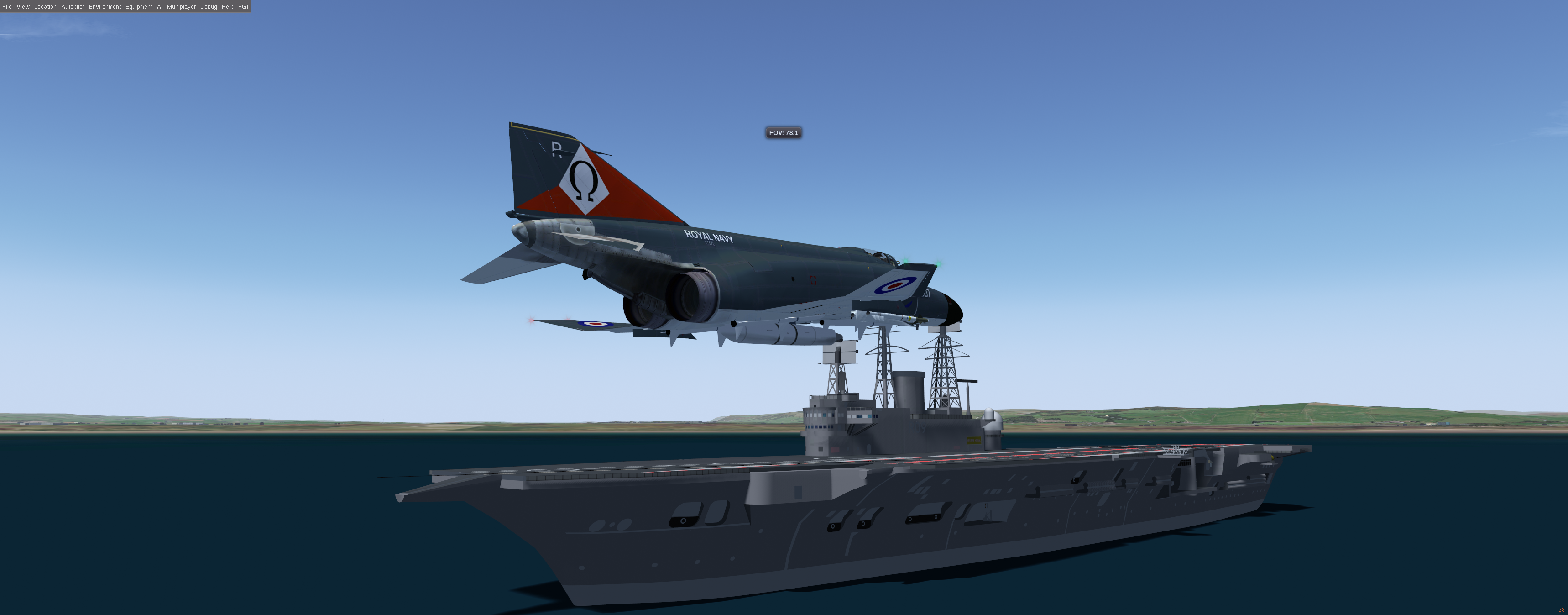
This archive contains both Multiplayer ( others can land on it ) and a stand alone AI version of the ship. The AI version is equipped with Weather responsive wave motion and is positioned in the Solent at 10kts and heading 150 - it'll be visible on your in game map but the closest airport is Lee on Solent.
Download it here: https://sites.google.com/view/fgukhangar/flightgear-uk-home-page/hangar/ai-and-multiplayer-ships/hms-ark-royal-r09
Comments
A little hint for those thinking its going to be like the Stock carriers. Its not.
Size difference compared to a Nimitzs class
Landing and takeoff tips.
Landing. Be bang on the red Centre line or you may require a change of underwear.
Take off. Larger / heavy aircraft are best using the side Cat. Its longer and give that little bit extra. For F4 type aircraft its best the carrier is at full steam. Its still a short deck for such an aircraft.
Good luck.
Thanks Stu for this impressive development.
I have some 3d models of Japanese WWII carriers which I used in AI scenarios. To facilitate take-off and landing I would like to add catapult and arrestor animations, even if anachronic. I have some difficulty having the catapult position defined in the .ac file seen by the command Engage Launch Bar. I have therefore some questions to help me finding a solution, after looking the way you implemented these functions for R09:
Any other relevant advice would be appreciated, should you be kind to pay attention to my demand.
Thanks in advance for your consideration
Best regards
F-LCAS
Ok, this is something that took me 10 years to get working. Don't feel bad that you are also finding it difficult to work out. It just is a complete pain.
<catapult>
<num>3</num>
<cat>
<id>1</id>
<!-- Match cat-1 position as reference -->
<pos-x>-60.0</pos-x>
<pos-y>-10.95</pos-y>
<pos-z>16.3</pos-z>
<heading-deg>6</heading-deg>
<end-speed-kt>300</end-speed-kt> <!-- catapult power -->
<length-m>120</length-m>
</cat>
</catapult>
Without this entry in the AI scenario for the non standard carriers, The cat may only work in a basic low power way. With this you can define the position, heading, power and virtual length of the cat.
Side note. The aircraft also need to have a launch bar defined in the FDM and a hook defined as well to use the wires and cat effectively.
"Is it mandatory to put the carrier AI model directory within FGROOT/data/models/geometry" - This is what makes your carrier solid. Objects loaded from that directory are solid. Load it from else where, and you will likely fall through the deck as it wont be classed as a solid object by FlightGear.
Thanks Stu for the clarifications .
I followed your instructions (ai carrier dossier put in Models/Geometry, even if I was able to start effectively with a carrier directory within AI/Aircraft, zero speed and no nasal script) and I positioned the aircraft (your F-18D with hook and launch bar) at the catapult exact position (with identical offset coordinates within carrier scenario.xml and within carrier.nas). Nevertheless when using the Engage launch bar command, I don't get any feedback, in particular no "Engaged" message is displayed. Have I forgotten something ?
Best regards
F-LCAS
Do you have this in the Geometry model XML :-
<animation>
<type>interaction</type>
<object-name>cat-3</object-name>
<object-name>cat-2</object-name>
<!--object-name>cat-4</object-name-->
<interaction-type>carrier-catapult</interaction-type>
</animation>
<animation>
<type>interaction</type>
<object-name>wire-1</object-name>
<object-name>wire-2</object-name>
<object-name>wire-3</object-name>
<object-name>wire-4</object-name>
<interaction-type>carrier-wire</interaction-type>
</animation>
The Object names need to match your 3d object names for the cats and wires.
Hereby are the corresponding extracts from xml and ac carrier files and of the scenario.xml
Model.xml
<animation>
<type>interaction</type>
<object-name>cat-1</object-name>
<interaction-type>carrier-catapult</interaction-type>
</animation>
<animation>
<type>interaction</type>
<object-name>wire-1</object-name>
<object-name>wire-2</object-name>
<object-name>wire-3</object-name>
<object-name>wire-4</object-name>
<object-name>wire-5</object-name>
<object-name>wire-6</object-name>
<object-name>wire-7</object-name>
<object-name>wire-8</object-name>
<interaction-type>carrier-wire</interaction-type>
</animation>
AC:
OBJECT poly
name "cat-1"
data 10
wire-8.001
crease 30.0
numvert 3
-122. 22.28848 0.76518
-38.5 22.28848 0.76518
-122. 22.28848 0.76518
kids 0
OBJECT poly
name "wire"
data 4
wire
crease 30.0
numvert 3
84.73482 20.16215 -9.65683
84.73482 20.16216 14.14317
84.73482 20.16215 -9.65683
kids 0
OBJECT poly
name "wire-1"
data 6
wire-1
crease 30.0
numvert 3
69.63481 20.53803 14.14317
69.63481 20.53803 -9.65683
69.63481 20.53803 14.14317
kids 0
OBJECT poly
name "wire-2"
data 6
wire-2
crease 30.0
numvert 3
60.73482 20.77699 14.14317
60.73482 20.77699 -9.65683
60.73482 20.77699 14.14317
kids 0
OBJECT poly
name "wire-3"
data 6
wire-3
crease 30.0
numvert 3
51.33482 21.01005 14.14317
51.33482 21.01005 -9.65683
51.33482 21.01005 14.14317
kids 0
OBJECT poly
name "wire-4"
data 6
wire-4
crease 30.0
numvert 3
41.23482 21.2003 14.14317
41.23482 21.20029 -9.65683
41.23482 21.2003 14.14317
kids 0
OBJECT poly
name "wire-5"
data 6
wire-5
crease 30.0
numvert 3
19.13482 21.60848 14.14317
19.13482 21.60848 -9.65683
19.13482 21.60848 14.14317
kids 0
OBJECT poly
name "wire-6"
data 6
wire-6
crease 30.0
numvert 3
5.33482 21.84848 14.14317
5.33482 21.84848 -9.65683
5.33482 21.84848 14.14317
kids 0
OBJECT poly
name "wire-7"
data 6
wire-7
crease 30.0
numvert 3
-54.46518 22.27848 14.14317
-54.46518 22.27848 -9.65683
-54.46518 22.27848 14.14317
kids 0
OBJECT poly
name "wire-8"
data 6
wire-8
crease 30.0
numvert 3
-70.56519 22.28848 13.44317
-70.56519 22.28848 -9.45683
-70.56519 22.28848 13.44317
kids 0
Scenario.xml:
<entry>
<type>carrier</type>
<name>CVJ_Akagi</name>
<callsign>CVJ_Akagi</callsign>
<pennant-number>Akagi</pennant-number>
<TACAN-channel-ID>031X</TACAN-channel-ID>
<model>Models/Geometry/CVJ_Akagi-Bombable/Models/Akagi.xml</model>
<!-- <model>AI/Aircraft/CVJ_Akagi-Bombable/Models/Akagi.xml</model>
<latitude>22.0</latitude>
<longitude>-158.0</longitude>
<latitude>21.265</latitude>
<longitude>-157.9325</longitude>-->
<latitude>21.3597</latitude>
<longitude>-157.9509</longitude>
<deck-altitude>70</deck-altitude>
<speed>0</speed>
<!-- <heading>180</heading> -->
<heading>240</heading>
<tower-x-offset-m>95.10</tower-x-offset-m>
<tower-y-offset-m>23.27</tower-y-offset-m>
<tower-z-offset-m>15.08</tower-z-offset-m>
<rudder>0</rudder>
<turn-radius-ft>10000</turn-radius-ft>
<!-- <flols-pos>
<x-offset-m>90.12</x-offset-m>
<y-offset-m>-17.16 </y-offset-m>
<z-offset-m>23.50 </z-offset-m>
</flols-pos>-->
<parking-pos>
<name>cat-1</name>
<heading-offset-deg>0</heading-offset-deg>
<x-offset-m>-38.50</x-offset-m>
<y-offset-m>-0.765</y-offset-m>
<z-offset-m>22.29</z-offset-m>
</parking-pos>
<parking-pos>
<name>End-deck</name>
<heading-offset-deg>0</heading-offset-deg>
<x-offset-m>109.00</x-offset-m>
<y-offset-m>-0.75</y-offset-m>
<z-offset-m>22.29</z-offset-m>
</parking-pos>
<parking-pos>
<name>Lift-1</name>
<heading-offset-deg>0</heading-offset-deg>
<x-offset-m>-45.00</x-offset-m>
<y-offset-m>-0.75</y-offset-m>
<z-offset-m>22.29</z-offset-m>
</parking-pos>
<parking-pos>
<name>lift-2</name>
<heading-offset-deg>0</heading-offset-deg>
<x-offset-m>13.00</x-offset-m>
<y-offset-m>-0.75</y-offset-m>
<z-offset-m>22.29</z-offset-m>
</parking-pos>
<parking-pos>
<name>lift-3</name>
<heading-offset-deg>0</heading-offset-deg>
<x-offset-m>77.00</x-offset-m>
<y-offset-m>-0.75</y-offset-m>
<z-offset-m>22.29</z-offset-m>
</parking-pos>
<!-- ========================= -->
<!-- Catapult Definition -->
<!-- ========================= -->
<catapult>
<num>1</num>
<cat>
<id>1</id>
<!-- Match cat-1 position as reference -->
<pos-x>-38.5</pos-x>
<pos-y>-0.765</pos-y>
<pos-z>22.29</pos-z>
<heading-deg>0</heading-deg>
<end-speed-kt>300</end-speed-kt> <!-- catapult power -->
<length-m>83.5</length-m>
</cat>
</catapult>
<arresting>
<num>9</num>
<wire>
<id>0</id>
<pos-x>84.73</pos-x>
<pos-y>2.24</pos-y>
<pos-z>20.54</pos-z>
<heading-deg>0</heading-deg>
</wire>
<wire>
<id>1</id>
<pos-x>69.63</pos-x>
<pos-y>2.24</pos-y>
<pos-z>20.54</pos-z>
<heading-deg>0</heading-deg>
</wire>
<wire>
<id>2</id>
<pos-x>60.73</pos-x>
<pos-y>2.24</pos-y>
<pos-z>20.78</pos-z>
<heading-deg>0</heading-deg>
</wire>
<wire>
<id>3</id>
<pos-x>51.33</pos-x>
<pos-y>2.24</pos-y>
<pos-z>21.01</pos-z>
<heading-deg>0</heading-deg>
</wire>
<wire>
<id>4</id>
<pos-x>41.23</pos-x>
<pos-y>2.24</pos-y>
<pos-z>21.20</pos-z>
<heading-deg>0</heading-deg>
</wire>
<wire>
<id>5</id>
<pos-x>19.13</pos-x>
<pos-y>2.24</pos-y>
<pos-z>21.61</pos-z>
<heading-deg>0</heading-deg>
</wire>
<wire>
<id>6</id>
<pos-x>5.33</pos-x>
<pos-y>2.24</pos-y>
<pos-z>21.85</pos-z>
<heading-deg>0</heading-deg>
</wire>
<wire>
<id>7</id>
<pos-x>-54.47</pos-x>
<pos-y>2.24</pos-y>
<pos-z>22.28</pos-z>
<heading-deg>0</heading-deg>
</wire>
<wire>
<id>8</id>
<pos-x>-70.57</pos-x>
<pos-y>2.24</pos-y>
<pos-z>22.29</pos-z>
<heading-deg>0</heading-deg>
</wire>
</arresting>
<!-- ========================= -->
<!-- Operating Box Limits -->
<!-- ========================= -->
<max-lat>0.01</max-lat>
<min-lat>0.05</min-lat>
<max-long>0.05</max-long>
<min-long>0.01</min-long>
<mp-control>false</mp-control>
<ai-control>true</ai-control>
</entry>
Looks right enough from what I can see.
One possibility is the Cat object is too far below the deck, and the launch bar on the aircraft cant reach it
I did have issues with Blender when placing the cat's. It dos something to the cat model rendering it useless. I had to use AC3D to do those.
Honestly I am lost and find hard to understand the logic for the x,y,z values between the scenario.xml and the carrier.nas. let(s take the nimitz example :
nimitz scenario cat-1: <x-offset-m>-3.65</x-offset-m> <y-offset-m>15.2715</y-offset-m> <z-offset-m>20</z-offset-m> with <deck-altitude>65</deck-altitude>. What is the influence of deck-altitude ?
nimitz.ac cat-1 : loc -28.3239 0 -25.271 numvert 2 247.707 -1.7333 -22.8896 133.025 -1.7332 -14.8799 . I don't have the loc line in my carrier.nas
From these values how do you infer that cat-1 deck position is in reach of any equipped aircraft launch bar ?
Furthermore could you tell me where to find in FGROOT/Data the mechanism activating the launch bar and displaying the "Engage" screen print ? Is-it a nasal script or hard coded ?
Thanks in advance
BR
F-LCAS
Welcome to my world of pain. 10 years of it. I have the Ark working. If I can repeat that on another carrier, I have no idea yet.
<!-- map keys for catapult launch -->
<key n="67">
<name>C</name>
<desc>Catapult Launch Command.</desc>
<binding>
<command>property-assign</command>
<property>/controls/gear/catapult-launch-cmd</property>
<value type="bool">true</value>
</binding>
<mod-up>
<binding>
<command>property-assign</command>
<property>/controls/gear/catapult-launch-cmd</property>
<value type="bool">false</value>
</binding>
</mod-up>
</key>
<!-- map keys for launch-bar -->
<key n="76">
<name>L</name>
<desc>Launch-bar engage.</desc>
<binding>
<command>property-assign</command>
<property>/controls/gear/launchbar</property>
<value type="bool">true</value>
</binding>
<mod-up>
<binding>
<command>property-assign</command>
<property>/controls/gear/launchbar</property>
<value type="bool">false</value>
</binding>
</mod-up>
</key>
There are core FG commands in the property tree. The engage sound is tied to controls/gear/launchbar being true. Its not part of an aircrafts sound pack its a default sound generated by that property.
While some functions of a custom carrier work like on the nimitz, others do not. This is why the code is not the same on each ship. The nimitz and other stock carriers have what we think is, some hard coded values and function in FG somewhere.
Are you able to check in the property tree for the launch bar property.
If you push the key bound to engage the launch bar, even if it can't find the launch bar, it should flick between true and false as you push the key. That would indicate it's all working and the properties are there but it's just not close enough to the launch bar.
If you can confirm that then we know it's just a positioning error.
Indeed the launch-bar property tree is changed to true, but the "Engaged" message is not displayed. By the way where in FG this message is generated (nasal section, ...) ? I can not find it. If it is confirmed to be a postionning offset then how to make sure the correct it. I looked a the nimitz and have disfficulty to se the coherence of x, y, z (example for cat-1):
Scenario : <parking-pos>
<name>cat-1</name>
<heading-offset-deg>-4</heading-offset-deg>
<x-offset-m>-3.65</x-offset-m>
<y-offset-m>15.2715</y-offset-m>
<z-offset-m>20</z-offset-m>
</parking-pos>
nimitz.ac :
OBJECT poly
name "cat-1"
loc -28.3239 0 -25.271
crease 61.000000
numvert 2
247.707 -1.7333 -22.8896
133.025 -1.7332 -14.8799
numsurf 1
SURF 0x2
mat 6
refs 2
0 0 1
1 1 0
kids 0
What i the meaning of the line "loc -28.3239 0 -25.271" ?
What i the meaning of the line "loc -28.3239 0 -25.271" - No idea. Thats something to do with the .AC file format.
That line gives the location of the item "cat-1" in the format X, Y,Z
So x=-28.3239, y = 0, z=-25.271